
Manage agents conversations
How to manage agent conversations, their history, lifecycle and observability.
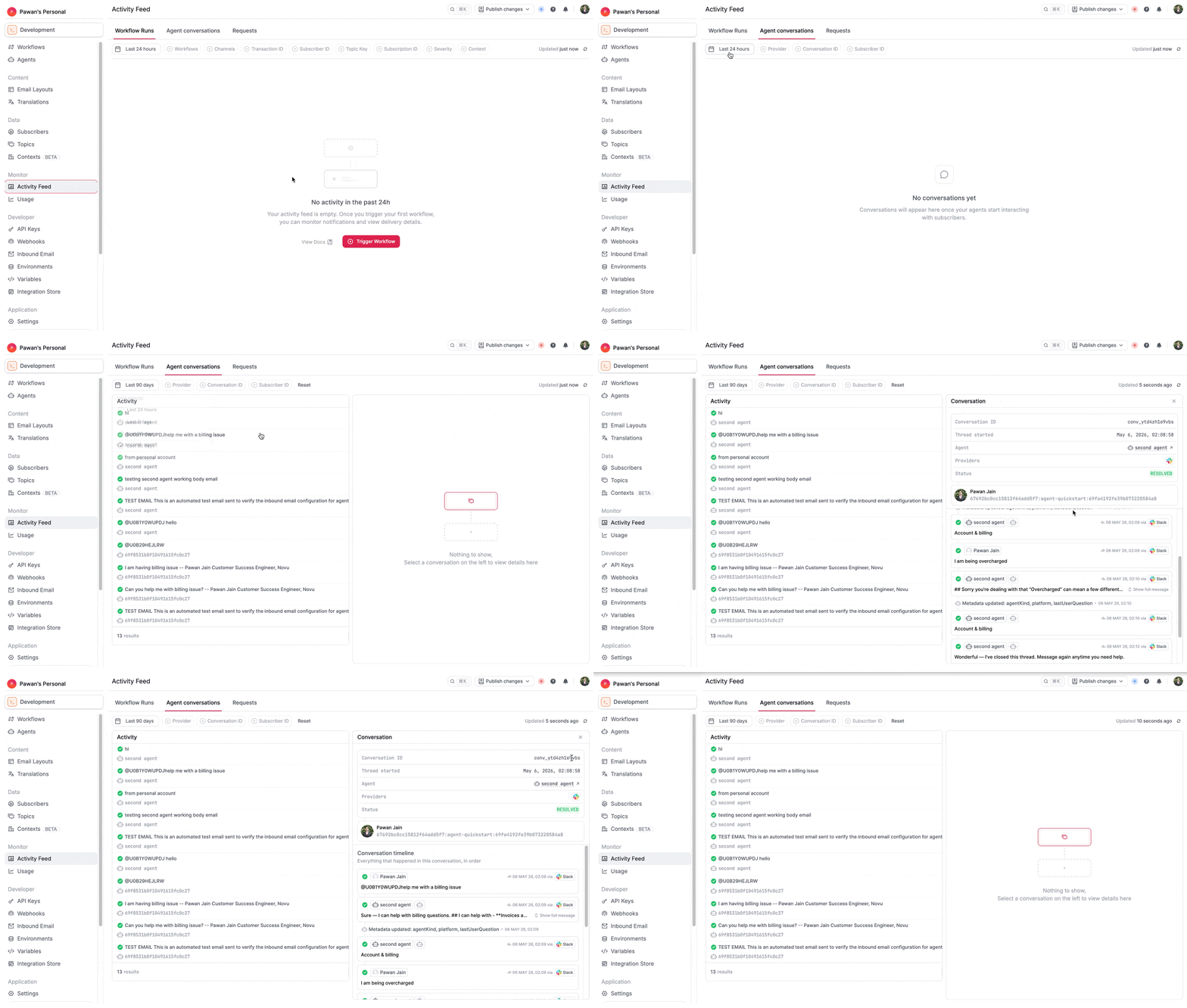
Novu provides full observability for agent conversations. You can view and manage conversations in the Novu dashboard. To access the conversations, go to the Activity Feed page on the dashboard and switch to the Agent Conversations tab.
Conversation lifecycle
An agent conversation follows a simple state machine:
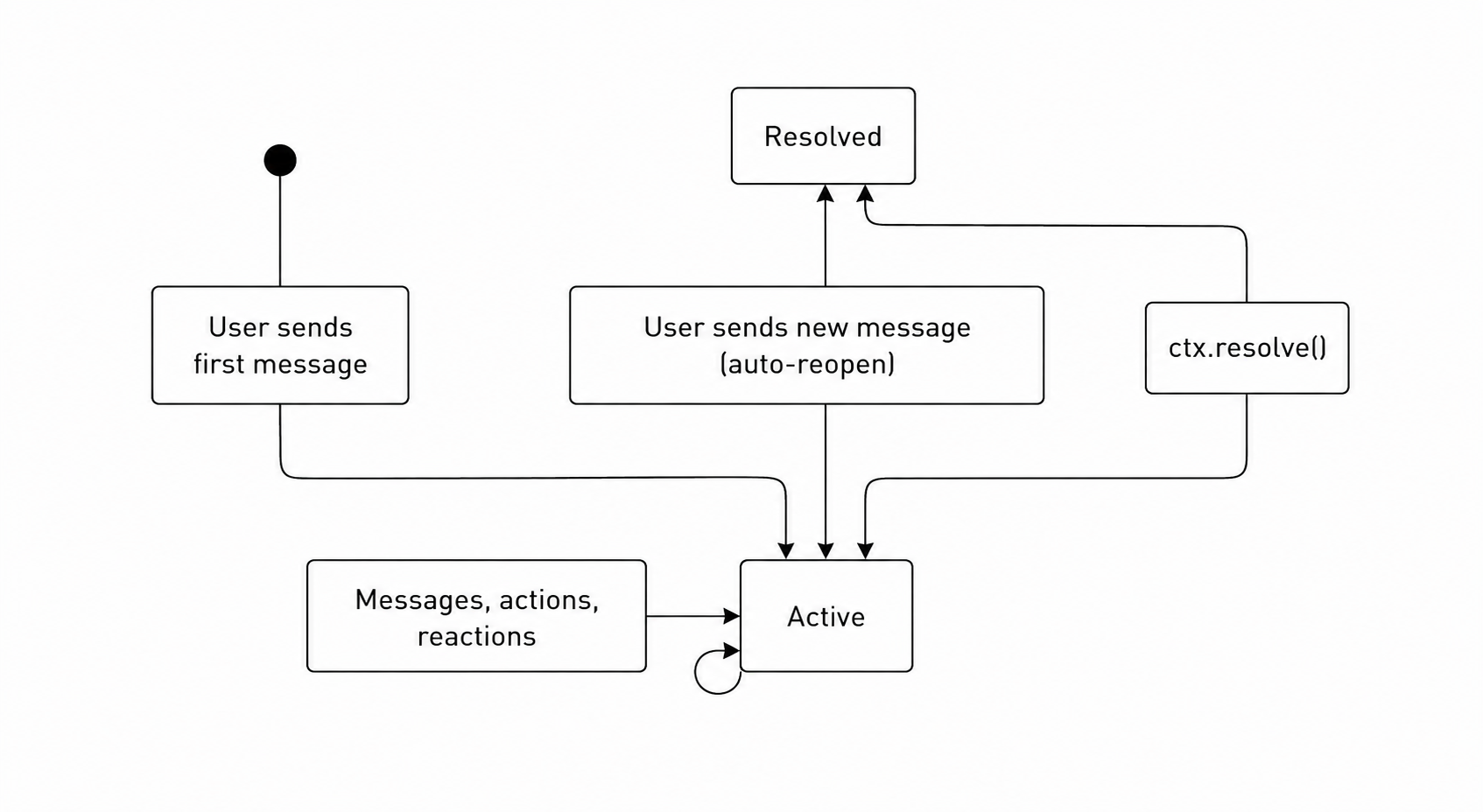
- Active — The conversation is ongoing. Messages increment the count, metadata can be updated, and
lastActivityAtis refreshed. - Resolved — The agent called
ctx.resolve(). TheonResolvehandler fires, and an optional summary is stored. If the user sends another message, then the conversation automatically reopens.
Conversation observability
Every conversation is fully observable in the Novu dashboard. Navigate to your agent's detail page to see all conversations, their status, and a complete timeline of activity.
The dashboard shows:
- Conversation list — All conversations for the agent, with status (active / resolved), last message preview, message count, and last activity timestamp.
- Full message history — Every message exchanged between the user and the agent, including rich content (cards, markdown, files).
- Metadata — All key-value pairs set via
ctx.metadata.set(), visible per conversation. - Signal activity — A log of all signals fired (metadata changes, workflow triggers, resolve events).
- Participant details — Which subscribers and platform users are part of each conversation, with identity resolution status.
- Platform context — Which platform and thread the conversation is happening on.
Supported platforms
| Platform | Status | Notes |
|---|---|---|
| Slack | Available | Text, markdown, files, interactive cards, reactions, typing indicators. File uploads require the files bot scope. |
| Microsoft Teams | Available | Text, markdown, files, and cards via Bot Framework. Dashboard includes a guided onboarding flow with one-click app package download. |
| Available | Text, markdown, interactive buttons. Inbound media is surfaced via attachments; outbound file attachments are not supported yet. | |
| Available | Text, markdown, files, interactive cards, emoji reactions (Gmail only). |
Platform capabilities vary. For example, typing indicators are only shown on platforms that support them, and message editing depends on platform adapter support.